Rewards
How to Withdraw to Coinbase
Quick Intro
An example flow for withdrawing from Plantee to a Coinbase deposit address on Base using the Coinbase mobile app.
Last updated March 12, 2026
This article is an example of how to withdraw using the Coinbase mobile app.
Use Coinbase’s receive flow to find your Base deposit address before entering anything into Plantee.
Make sure the receive screen shows USDC on the Base network before copying the address.
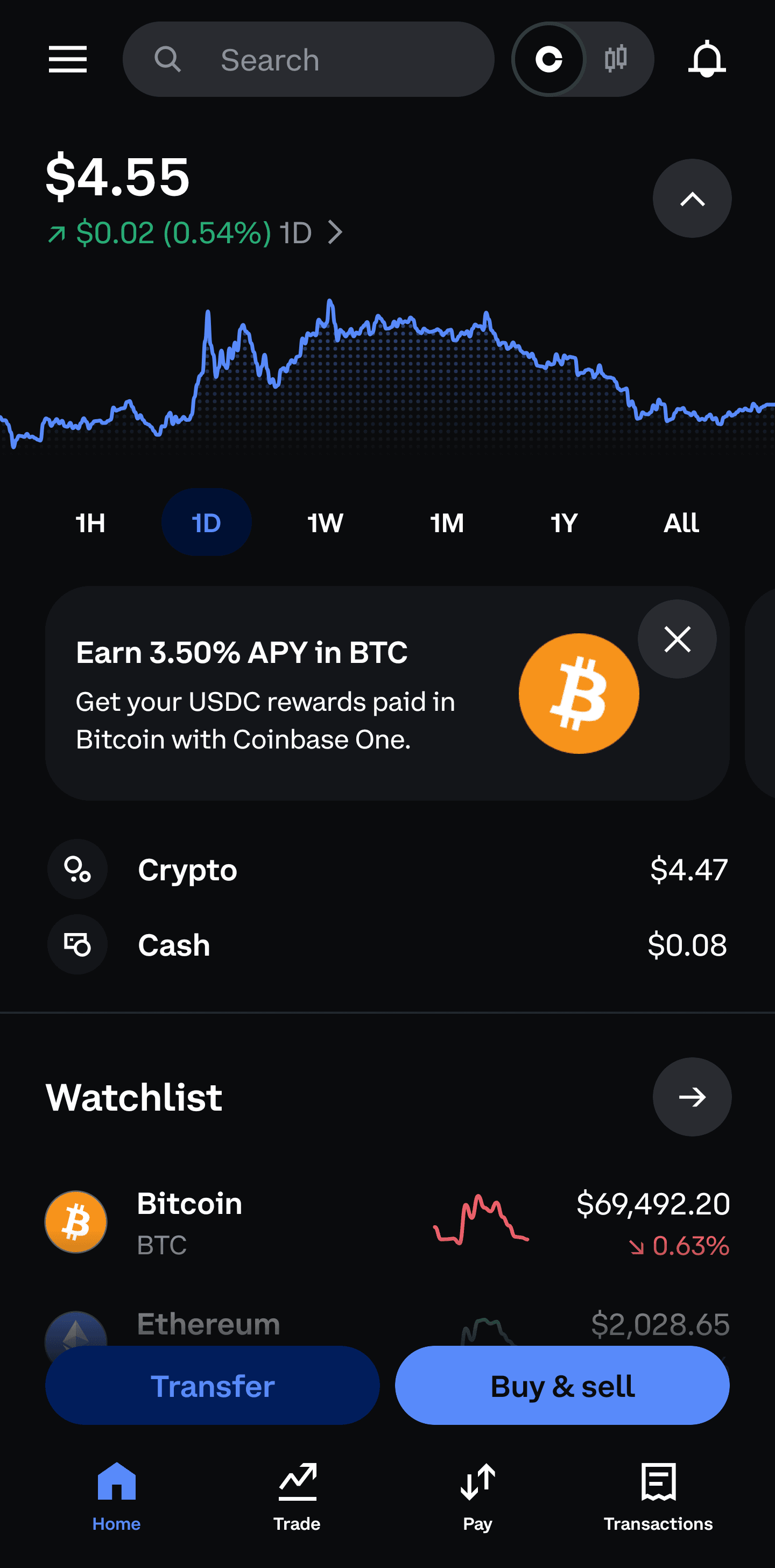
Step 1: Tap Transfer
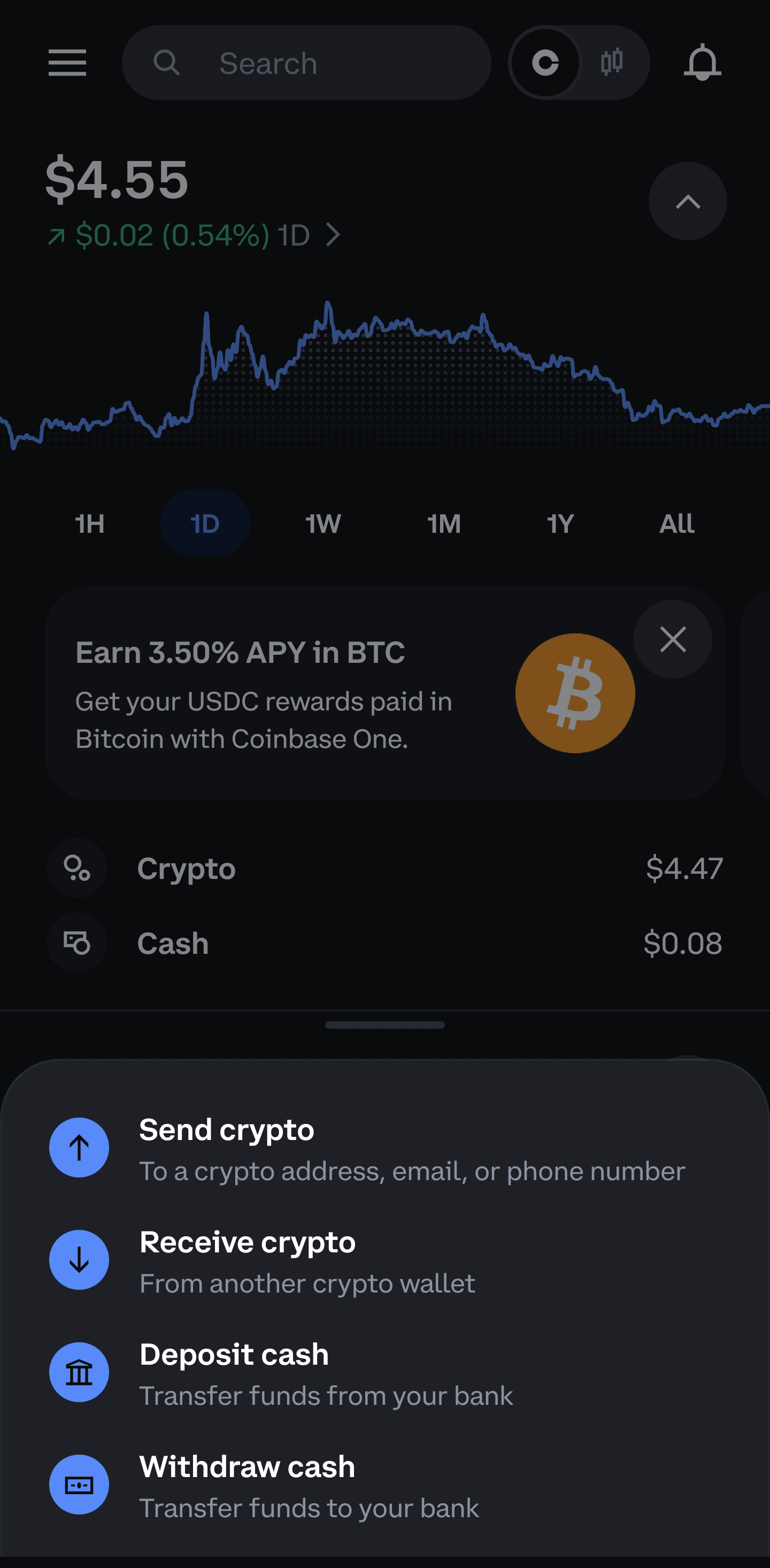
Step 2: Select Receive crypto
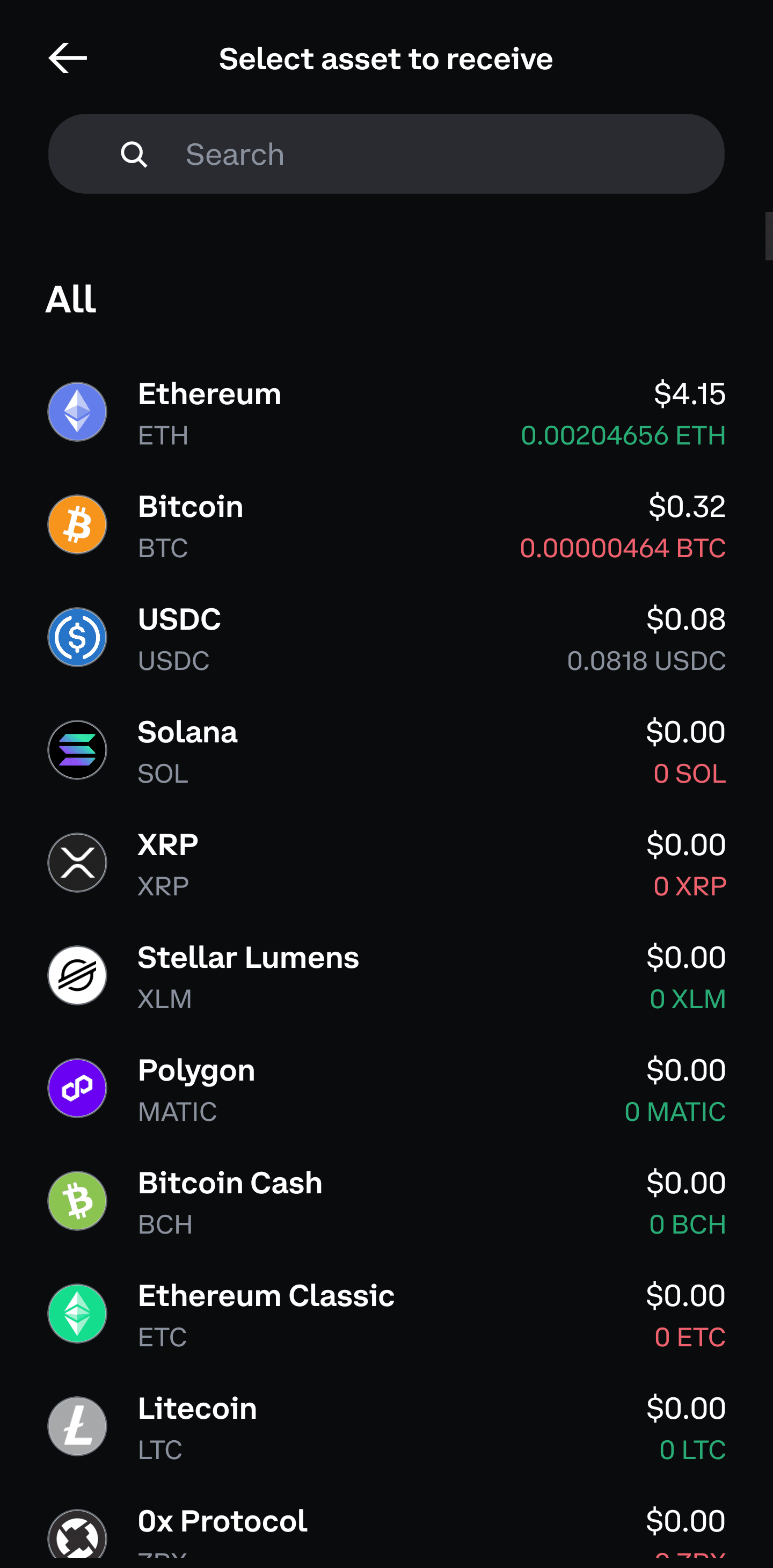
Step 3: Select USDC
Step 4: Copy the address
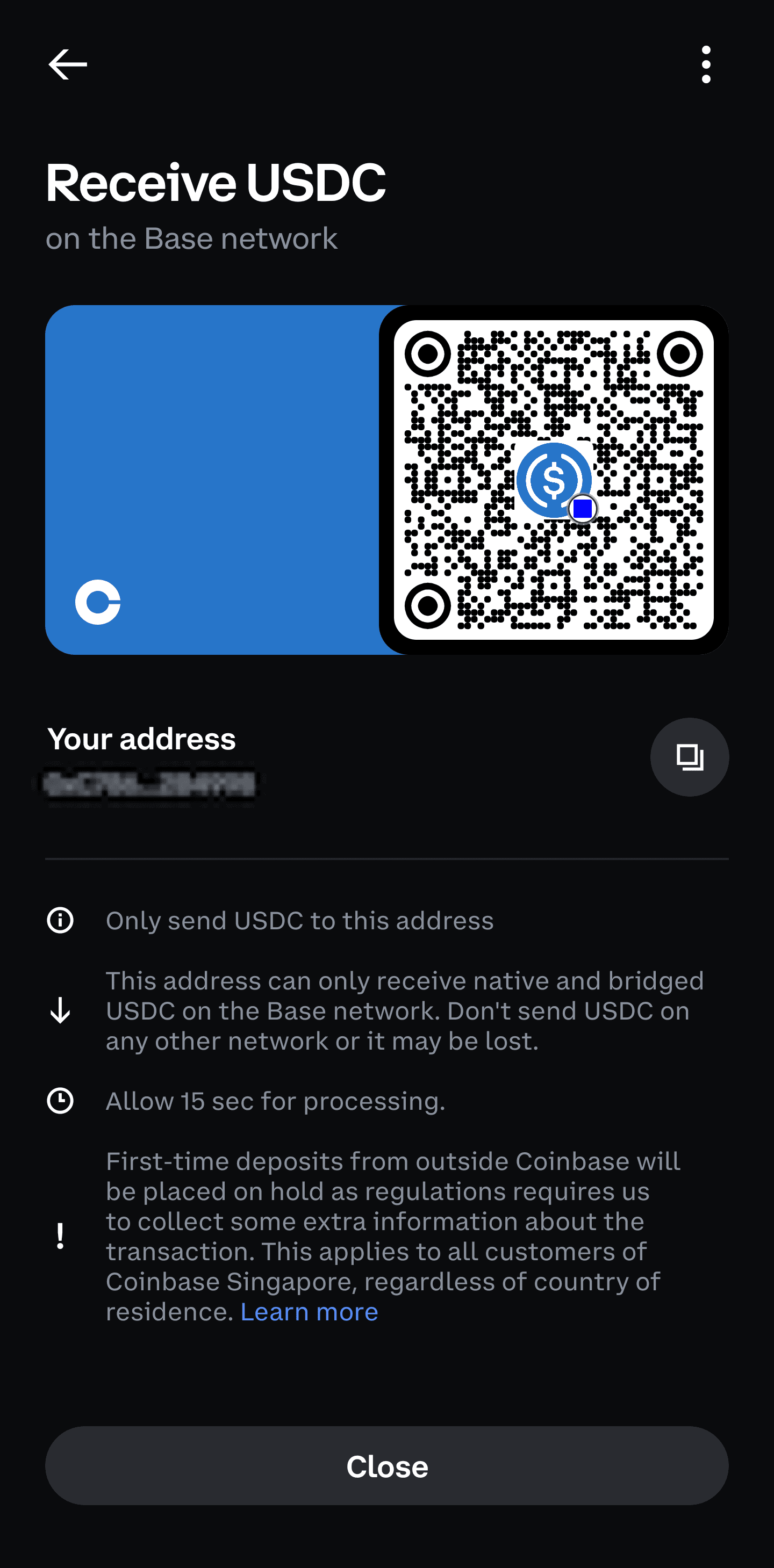
Copy the address shown on the receive screen.
Step 5: Enter the address in Plantee
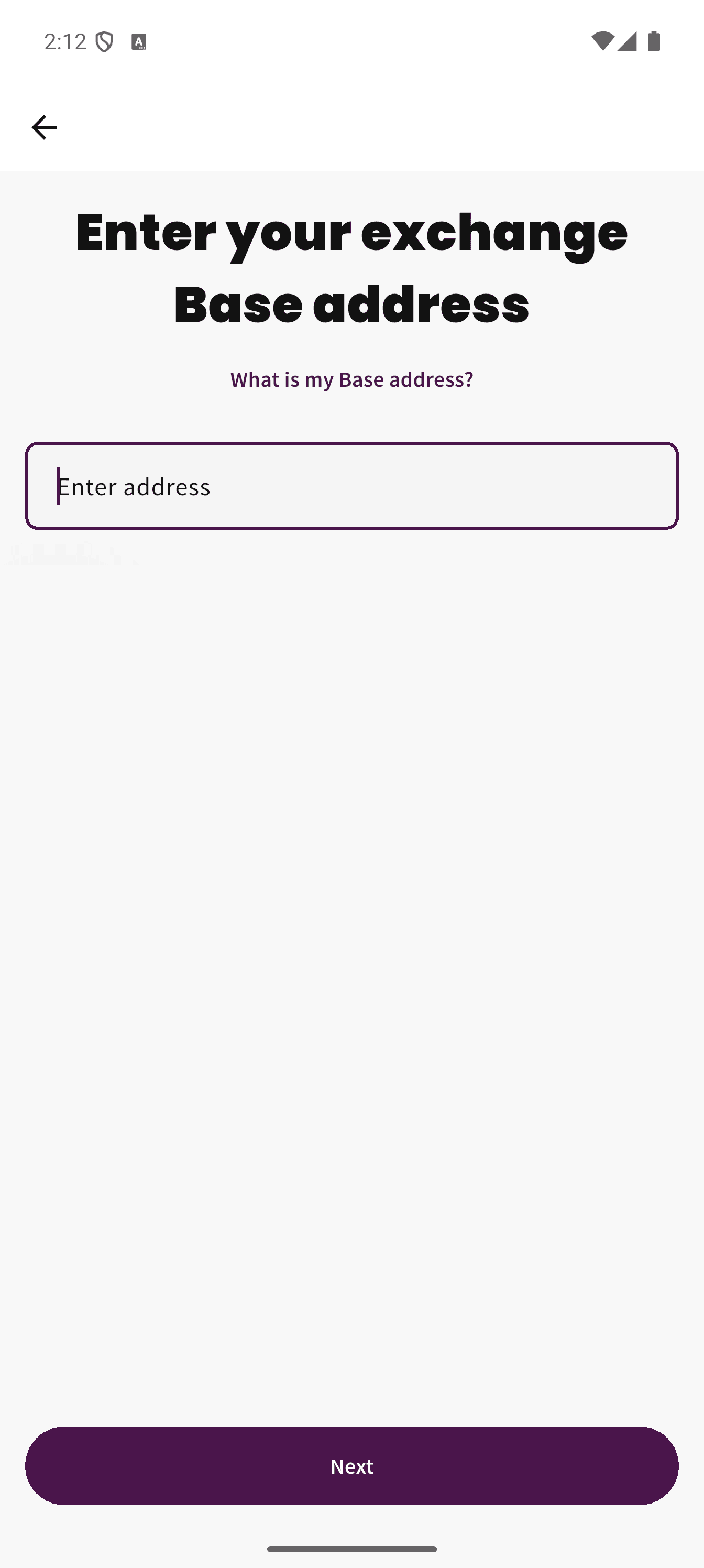
Paste the copied Coinbase address into the Plantee crypto exchange address screen.
Note
This guide is based on the Coinbase mobile app as of March 12, 2026 and may change if Coinbase updates its app. If the flow looks different in your app, contact Coinbase support for help finding the correct Base deposit address. This article is a general guide only.